Application Controls in Accounting: Definition, Types & Examples
What Are Application Controls?
Imagine you work at a company that uses accounting software. Every day, your team enters hundreds of transactions sales invoices, purchase bills, payroll entries, bank payments. Now, what stops someone from accidentally entering a negative salary? Or posting the same supplier invoice twice? Or recording a sale without a proper authorisation?
That is exactly what application controls do.
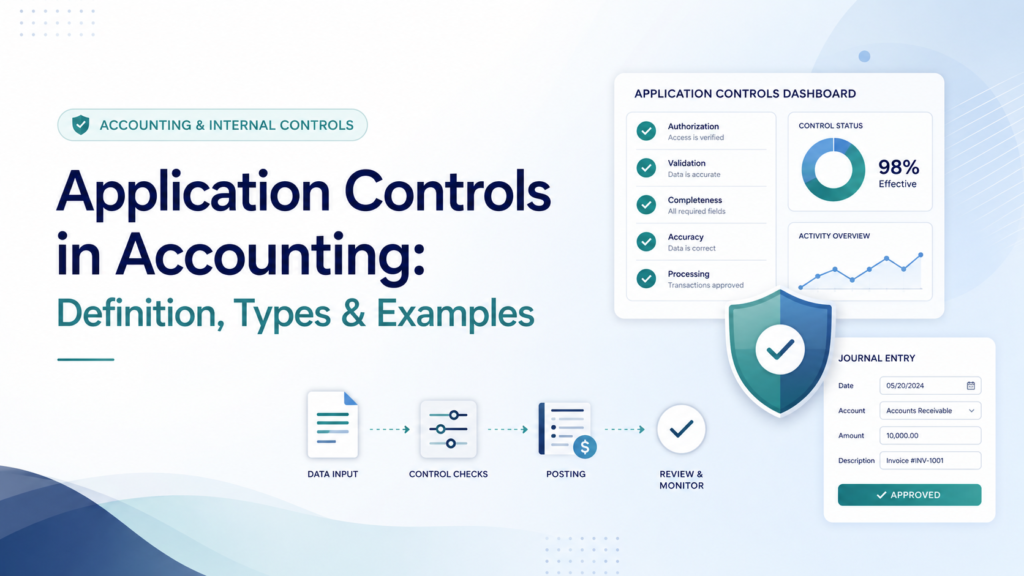
Application controls are built-in checks inside accounting software or any business application that ensure every transaction entered, processed, and reported is complete, accurate, valid, and properly authorised.
They are automatic. You do not need a manager to stand behind every data entry clerk. The software itself catches errors before they become problems.
A simple analogy: think of application controls like the safety features in a car. The car will not start without a seatbelt. It beeps if you go over the speed limit. It refuses to shift into reverse when you are moving forward. These built-in rules prevent accidents automatically you do not rely on the driver’s judgment alone every single time. Application controls work the same way inside financial systems.
Table of Contents
Why Application Controls Matter
In accounting, a single data entry error can have serious consequences:
- A misplaced decimal point turns a $10,000 payment into a $1,000,000 payment
- A duplicate invoice means paying a supplier twice
- An unauthorised journal entry can hide fraud for years
- An incorrect tax code leads to wrong VAT calculations and regulatory penalties
Without application controls, these errors depend entirely on human vigilance — which is fallible, inconsistent, and not scalable.
Application controls matter for three groups of people:
Accountants and finance teams — they reduce manual checking work. When the system itself validates data, staff spend less time correcting errors and more time on analysis.
Management — they provide assurance that financial reports are reliable, which is the foundation of sound business decisions.
Auditors — they rely heavily on application controls during financial statement audits. If an auditor confirms that strong application controls are working properly, they can reduce the amount of detailed transaction testing they need to do. This directly affects audit efficiency and cost.
Application Controls vs General IT Controls: What Is the Difference?
This is a common point of confusion, so let us be very clear.
Application controls are specific to individual software applications. They operate at the transaction level — they control what happens when a particular piece of data is entered or processed in a specific program.
General IT Controls (GITCs) are broader. They govern the overall IT environment — things like who can access the server, how software is updated, how data is backed up, and how user accounts are managed.
Think of it this way:
Feature | Application Controls | General IT Controls |
Scope | One specific application (e.g., accounting software) | Entire IT infrastructure |
Level | Transaction level | Environment level |
Example | “Invoice amount cannot exceed $50,000 without approval” | “Only IT administrators can install new software” |
Who manages | Finance / accounting team, software developers | IT department |
Effect on audit | Reduces substantive testing of transactions | Supports reliance on all automated controls |
Why does this distinction matter?
An auditor cannot rely on an application control if the general IT controls around it are weak. If anyone can access the server and change the software code, then the application control might have been tampered with. So general IT controls are the foundation on which application controls sit.
This relationship is described in ISA 315 (Revised 2019) — Identifying and Assessing the Risks of Material Misstatement, which requires auditors to understand an entity’s information system and related controls, including both application controls and general IT controls.
The Three Types of Application Controls
Application controls are traditionally divided into three categories based on when they operate in the data processing cycle: Input Controls, Processing Controls, and Output Controls. Each type acts as a checkpoint at a different stage of the accounting process. Let us go through each one in detail.

Type 1: Input Controls
Input controls are checks that validate data at the point of entry — before it is accepted into the system.
Their job is to stop bad data from getting in. It is always cheaper to catch an error at entry than to find it after it has flowed through the entire accounting system.
There are several specific types of input control:
- a) Field Validation (Format Check)
The system checks whether data is in the correct format for the field.
Example: An invoice date field will only accept a valid date. If you type “31-02-2024” (31 February does not exist), the system rejects it immediately. If you accidentally type letters in a numeric field meant for invoice amounts, the system will not accept it.
In SAP, QuickBooks, and Tally, all date fields and amount fields have built-in format validation. You cannot post a journal entry with an invalid date.
- b) Completeness Check (Mandatory Fields)
The system requires certain fields to be filled before a transaction can be saved.
Example: In a purchase invoice entry screen, the system will not save the record unless all of these are filled in: supplier name, invoice number, invoice date, amount, and expense account code. If any field is left blank, the system shows an error message and refuses to proceed.
This prevents incomplete records — which are a common cause of reconciliation headaches at month-end.
- c) Range Check (Reasonableness Check)
The system checks whether a value falls within an acceptable range.
Example 1: A payroll system is set so that no employee’s monthly salary can be entered as zero or as a negative number. If a payroll officer accidentally types -5,000 instead of 5,000, the system rejects it.
Example 2: A purchase order approval limit is set at $10,000. Any purchase order above $10,000 triggers an automatic escalation to the Finance Director — it cannot be posted by the junior buyer alone.
Example 3: A system might flag any single cash payment above $100,000 for extra review, because amounts that large are unusual in day-to-day operations.
- d) Duplicate Check
The system checks whether the same transaction has already been entered.
Example: A supplier sends an invoice numbered INV-2024-5567 for $3,200. The accounts payable clerk enters it. Two weeks later, someone enters the same invoice again by mistake (perhaps a second copy arrived by email). The system detects that invoice number INV-2024-5567 from that supplier already exists and shows a warning: “Duplicate invoice detected. Do you want to proceed?”
This single control prevents double payments — a very common and costly error in accounts payable departments. A 2022 report by the Association of Finance Professionals found that duplicate payments account for 0.1% to 0.5% of total accounts payable spend in organisations that lack this control.
- e) Existence Check (Validity Check)
The system checks whether data entered refers to something that actually exists in the master file.
Example: When entering a sales invoice, the system requires a valid customer code. If a salesperson types a customer code that does not exist in the customer master file, the system rejects the entry. You cannot post a transaction to a fictitious customer.
Similarly, in a chart of accounts, you can only post to account codes that have been officially set up. You cannot invent an account code on the spot.
- f) Authorisation Controls
The system enforces approval workflows automatically.
Example: In a large manufacturing company, any journal entry above $50,000 requires the signature (electronic approval) of the Chief Financial Officer before it is posted to the general ledger. The system will not allow the entry to go through until the CFO approves it through the workflow module.
This is particularly important for manual journal entries, which are a high-risk area in financial reporting. PCAOB (Public Company Accounting Oversight Board) guidance highlights manual journal entries as a significant fraud risk area, precisely because they can bypass normal transaction processing controls.
Type 2: Processing Controls
Processing controls ensure that once data has been accepted by the system, it is calculated and processed correctly.
Even if the input was valid, errors can still occur during calculation and processing. Processing controls catch these.
- a) Batch Totals
Before a batch of transactions is processed, a control total is calculated manually (or separately). After processing, the system’s total is compared to that pre-calculated figure.
Example: An accounts payable clerk is entering 50 supplier invoices for the week. Before entering them, she adds up all the invoice amounts on a separate spreadsheet: total = $287,430. She enters this as the batch control total. After all 50 invoices are entered and processed, the system reports its total: $287,430. They match — processing was complete and accurate. If the system reported $285,430 instead, that $2,000 discrepancy signals that one invoice was missed or entered incorrectly.
Batch controls are common in older legacy systems and are still widely used in banking and insurance for high-volume processing.
- b) Run-to-Run Totals (Balance Carried Forward Check)
The system checks that the opening balance, plus transactions processed, equals the closing balance — exactly.
Example: Opening accounts receivable balance = $500,000. Sales invoices posted this month = $120,000. Cash received from customers = $95,000. Expected closing balance = $500,000 + $120,000 – $95,000 = $525,000. If the system’s closing accounts receivable balance is anything other than $525,000, the system flags a discrepancy for investigation.
This is a fundamental integrity check that ensures no transactions have been lost or created during processing.
- c) Arithmetic / Calculation Checks
The system automatically recalculates values to verify they are correct.
Example 1: On a sales invoice, a line item shows: Quantity = 50, Unit Price = $12.00, Line Total = $600.00. The system checks: 50 × $12.00 = $600.00. Correct. But if a clerk had manually typed $6,000.00 in the total field by mistake, the system would flag it: “Line total does not match quantity × unit price.”
Example 2: In a VAT / tax calculation, the system calculates VAT at the applicable rate (e.g., 15%) on the taxable amount and compares it to the VAT amount posted. If there is a difference, it raises an error.
- d) Sequence Check
The system checks that transaction numbers are sequential with no gaps and no duplicates.
Example: Sales invoices in your system are numbered INV-001, INV-002, INV-003, and so on. If INV-045 is missing from the sequence, the system raises an alert. A missing number could mean a cancelled transaction — which is fine — but it could also indicate a deleted record, which might be a sign of fraud (hiding a transaction by deleting it after posting).
Sequential numbering is a basic but powerful fraud prevention tool. It is one reason why pre-printed, sequentially numbered receipt books are still used in many organisations.
- e) Cross-Field / Cross-Document Matching
The system automatically matches related documents and flags mismatches.
Example (Three-Way Match): This is one of the most important processing controls in accounts payable. When a supplier invoice arrives, the system automatically matches it against:
- The original Purchase Order (what was ordered)
- The Goods Received Note / Delivery Note (what was actually received)
- The Supplier Invoice (what the supplier is charging)
All three amounts must agree within a set tolerance (say, 2%). If the invoice is for $10,500 but the purchase order was for $10,000 and goods received were worth $10,000, the system holds the invoice and generates an exception for the purchasing manager to resolve.
Three-way matching prevents paying for goods not ordered, goods not received, or inflated invoices — all common fraud vectors.
Type 3: Output Controls
Output controls ensure that the information produced by the system — reports, financial statements, data exports — is complete, accurate, and reaches only the right people.
Many people overlook output controls because the focus is usually on what goes in. But outputs are where the accounting information is actually used for decisions — so errors here can be just as damaging.
- a) Reconciliation of Output Totals
The totals on reports are compared back to the input and processing totals to confirm nothing was lost or changed.
Example: After the monthly payroll run, the payroll system produces a payment report showing total salaries paid: $845,200. The finance team reconciles this against:
- Total gross salaries per payroll register
- Total deductions (tax, pension contributions)
- Net payment total transferred to employees’ bank accounts
All three figures should tie together. If the bank payment is $843,000 but the payroll report says $845,200, there is a $2,200 difference that must be explained before the period can be closed.
- b) Exception Reports
The system automatically generates reports of transactions that are unusual, out of range, or that need human review.
Example 1: An accounting system is configured to flag any journal entry posted after 11 PM on a weekday or at any time on a weekend. These are unusual posting times and may indicate unauthorised access. The exception report lists them for the IT security team to review.
Example 2: A credit control system produces a daily exception report of customers whose credit limit has been exceeded. The credit manager reviews this each morning.
Example 3: A general ledger system generates a report of all journal entries posted directly to retained earnings — because legitimate transactions rarely go there, and such postings could indicate an attempt to manipulate profit figures.
Exception reports are a powerful monitoring tool. They do not prevent errors but ensure that unusual items are always reviewed by a human.
- c) Access Controls on Reports
Only authorised users can view, print, or export sensitive financial reports.
Example: The payroll report containing employees’ salaries and bank account numbers is restricted to the Payroll Manager and the HR Director. An accounts receivable clerk cannot access it, even if they are logged into the same accounting system. These access restrictions are configured through user roles and permissions.
In SAP, this is managed through the SAP Role and Authorisation concept. In QuickBooks Online, it is managed through user access levels (admin, standard user, reports only, time tracking only, etc.).
- d) Audit Trail
The system maintains a permanent, tamper-proof record of every transaction — who entered it, when, what was changed, and the original and new values.
Example: A journal entry is posted on 3 March 2024 for $50,000, debiting an expense account. On 15 March, it is reversed and reposted for $5,000. The audit trail shows:
- Original entry: User “A. Rahman”, 3 March 2024, 09:14 AM, $50,000 debit to Repairs & Maintenance
- Reversal: User “A. Rahman”, 15 March 2024, 02:30 PM
- Corrected entry: User “A. Rahman”, 15 March 2024, 02:31 PM, $5,000 debit to Repairs & Maintenance
An auditor reviewing this can immediately see the original error, who made it, and when it was corrected. Without an audit trail, this kind of change could be made invisibly.
Audit trails are required under IFRS (for completeness of financial records) and are specifically addressed in ISA 330 — The Auditor’s Responses to Assessed Risks, which discusses the use of computer-assisted audit techniques to review audit trails.
A Complete Real-World Example: Application Controls in a Purchase-to-Pay Cycle
Let us trace one business transaction through all three types of application controls to see how they work together.
Scenario: Ahmed’s Garments Ltd, a clothing manufacturer in Dhaka, orders 500 metres of fabric from a supplier. The purchase order is for $2,500. The supplier delivers 480 metres and sends an invoice for $2,400.
Here is how application controls work at each step:
Step 1 — Raising the Purchase Order (Input Controls)
- The procurement officer opens the purchase order module
- Mandatory fields: supplier code, item description, quantity, unit price, delivery date — all must be filled (Completeness Check)
- The supplier code must exist in the approved vendor list (Existence Check)
- Any purchase order above $3,000 requires the Head of Finance to approve electronically (Authorisation Control)
- At $2,500, this order goes through automatically
Step 2 — Recording the Goods Receipt (Input + Processing Controls)
- The warehouse team confirms 480 metres received (not 500) and records this in the system
- The system updates inventory: 480 metres added to stock
- The arithmetic check confirms: 480 metres × $5/metre = $2,400 expected invoice value
Step 3 — Processing the Supplier Invoice (Processing Controls)
- The supplier invoice arrives: $2,400 for 480 metres of fabric
- The system runs a three-way match:
- Purchase Order: 500 metres × $5 = $2,500
- Goods Received: 480 metres × $5 = $2,400
- Invoice: $2,400
- The invoice matches the goods received — approved for payment
Step 4 — Approving Payment (Output Controls + Authorisation)
- Payment is processed: $2,400 to the supplier
- The accounts payable report shows the payment
- The audit trail records: invoice number, amount, date, user who posted, approver
- The exception report does NOT flag this transaction — everything is within normal parameters
In this example, application controls worked silently in the background. No human had to manually check every step. The system enforced the rules automatically.
How Auditors Test Application Controls
During a financial statement audit, auditors assess whether application controls are working effectively. Under ISA 315 (Revised 2019) and ISA 330, if an auditor decides to rely on application controls to reduce substantive testing, they must first test whether those controls are actually operating effectively throughout the audit period.
Auditors use these methods to test application controls:
Inquiry and Observation — asking IT staff and system administrators how controls are configured and observing the system in operation.
Inspection — reviewing system configuration documentation, user access logs, and audit trails.
Re-performance — entering test transactions to verify that the control rejects invalid data (e.g., trying to post an invoice with a duplicate number to confirm the duplicate check works).
Computer-Assisted Audit Techniques (CAATs) — using software tools to extract and analyse large volumes of transaction data. For example, running a query to identify all transactions that bypassed a normal workflow — which should be zero if the control is working.
If application controls are found to be effective, the auditor can significantly reduce the amount of individual transaction testing (substantive procedures). This makes the audit more efficient. It is also why organisations with strong application controls often have lower audit fees.
Application Controls in Major Accounting Frameworks
Application controls are recognised and referenced in several authoritative frameworks:
COSO Internal Control – Integrated Framework (2013): Application controls fall under the Control Activities component. COSO describes automated controls as generally more reliable than manual controls because they are consistently applied and do not suffer from human fatigue or distraction.
COBIT 2019 (ISACA): COBIT provides a detailed governance framework for IT, including specific control objectives for application controls. It identifies input, processing, and output controls as essential for data integrity.
ISA 315 (Revised 2019): Requires auditors to understand the entity’s information system relevant to financial reporting, including the application controls used in processing transactions.
Sarbanes-Oxley Act (SOX), Section 404 (US): Listed companies must document and test all significant internal controls over financial reporting, which explicitly includes application controls in financial systems. This is why organisations using SAP, Oracle, or similar ERPs invest heavily in documenting their application controls for SOX compliance.
Application Controls in Common Accounting Software
To make this concrete, here is how application controls appear in software you may already be familiar with:
Tally Prime (popular in South Asia)
- Mandatory fields for all voucher types
- User-level access restrictions (Tally Vault, security controls)
- Audit trail showing all alterations to entries
- Duplicate invoice alert for purchase entries
QuickBooks Online
- Custom transaction approvals (requires QuickBooks Advanced plan)
- User roles restricting who can delete transactions or view payroll
- Duplicate vendor payment detection
- Audit log tracking all changes
SAP S/4HANA
- Comprehensive three-way matching (PO – GRN – Invoice) in the MM module
- Tolerance limits for invoice variances
- Workflow-based approval for journal entries above set thresholds
- Full audit trail via SAP Change Documents
Xero
- Bank reconciliation matching (matches bank feed to accounting entries)
- User roles (invoicing only, read-only, adviser)
Audit trail of all changes to published invoices
Summary: The 3 Types of Application Controls at a Glance
Type | When It Works | What It Prevents | Examples |
Input Controls | At data entry | Invalid, incomplete, unauthorised data entering the system | Field validation, completeness checks, range checks, duplicate checks, existence checks |
Processing Controls | During calculation and processing | Incorrect calculations, incomplete processing, lost transactions | Batch totals, run-to-run totals, arithmetic checks, sequence checks, three-way matching |
Output Controls | When reports and data are produced | Inaccurate reports, unauthorised access to information, undetected errors | Output reconciliation, exception reports, access controls, audit trail |
Key Takeaways
- Application controls are automated checks built into accounting software that ensure transactions are complete, accurate, valid, and authorised.
- They operate at three stages: input (preventing bad data), processing (ensuring correct calculation), and output (ensuring accurate and secure reporting).
- They differ from General IT Controls, which govern the broader IT environment.
- Auditors rely on application controls to reduce the amount of transaction-level testing required in a financial audit.
- Strong application controls reduce errors, improve financial report reliability, and lower audit cost.
- All major accounting frameworks COSO, COBIT, ISA 315 recognise application controls as a critical component of internal control over financial reporting.
Frequently Asked Questions (FAQs)
No. Even small businesses using basic accounting software benefit from application controls. QuickBooks and Xero both have built-in validation and access controls that work for a 5-person company just as well as a 5,000-person company. The complexity scales with business size, but the principle applies everywhere.
A preventive control stops an error from occurring in the first place for example, rejecting a duplicate invoice at the point of entry. A detective control identifies errors that have already occurred for example, an exception report that flags unusual journal entries after they have been posted. Input controls are mostly preventive; output controls (like exception reports) are mostly detective. Strong internal control systems use both.
Yes. Application controls can fail if they are poorly designed (e.g., a range check set to an inappropriate limit), if they are bypassed through system access by administrators, or if they are turned off during a software upgrade and not re-enabled. This is why general IT controls (like change management and access controls) are so important they protect the integrity of application controls themselves.
Application controls are a frontline defence against fraud. Duplicate payment controls prevent paying fictitious invoices twice. Sequence checks make it harder to delete transactions without detection. Audit trails make all changes visible and traceable. Three-way matching prevents payment for goods not received. No single control prevents all fraud, but together they raise the cost and difficulty of committing it significantly.
Yes. An audit trail is an output control it ensures a complete and accurate record of all transactions and changes is maintained. Auditors rely on audit trails when performing forensic accounting investigations and when testing the completeness of the accounting records.
References
- Committee of Sponsoring Organizations of the Treadway Commission (COSO). Internal Control – Integrated Framework. 2013. Available at: www.coso.org
- International Auditing and Assurance Standards Board (IAASB). ISA 315 (Revised 2019): Identifying and Assessing the Risks of Material Misstatement. Available at: www.iaasb.org
- International Auditing and Assurance Standards Board (IAASB). ISA 330: The Auditor’s Responses to Assessed Risks. Available at: www.iaasb.org
- ISACA. COBIT 2019 Framework: Governance and Management Objectives. Available at: www.isaca.org
- Public Company Accounting Oversight Board (PCAOB). AS 2201: An Audit of Internal Control Over Financial Reporting. Available at: www.pcaobus.org
- Sarbanes-Oxley Act 2002, Section 404 (United States). Available at: www.sec.gov
- Romney, M.B. and Steinbart, P.J. Accounting Information Systems. 15th edition. Pearson, 2021. (Chapter 8: Controls for Information Systems)
- Hall, J.A. Accounting Information Systems. 9th edition. Cengage Learning, 2019.
